If you are tired of paying for multiple streaming subscriptions and want to take control of your own media library, learning what you need to set up a Plex server at home is your first major step. You might think creating a personal streaming service requires an expensive enterprise data center or a room full of blinking server racks. The good news is that you can build a highly reliable media hub using everyday consumer hardware.
Whether you want to stream your favorite classic movies to your living room television or cast your music library to your phone, let us break down everything you actually need to get the physical side of your project up and running.
The Plex Server Series
Catch up on our complete guide to taking back your media collection and building the ultimate home streaming setup.
Choosing Computer Hardware to Set Up a Plex Server
The absolute foundation of your media library is the computer that runs the Plex Media Server software. This machine needs to stay powered on so your devices can access your library whenever you want to watch something.
You have a few great options depending on your budget and what you might already own:
- Repurposed Old Computer: If you have an older desktop or laptop lying around in a closet, it can often double as a basic server. As long as it has a reasonably modern processor, it will handle local streaming with ease.
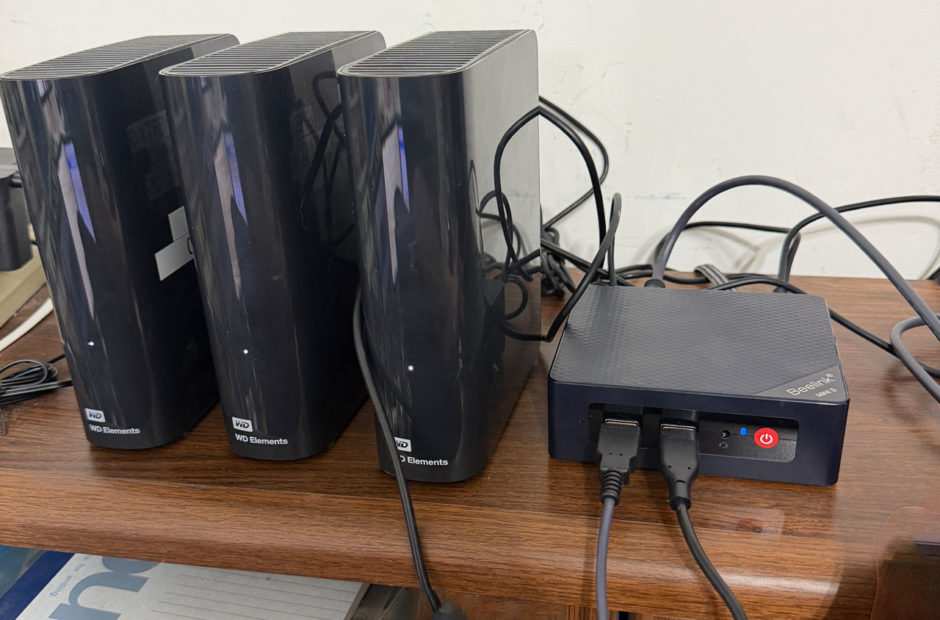
- Mini PCs: Devices like Intel NUCs or budget mini PCs running Windows or Linux are wildly popular for media servers. They consume very little electricity, take up almost no desk space, and pack plenty of processing punch.
- Network Attached Storage (NAS): Brands like Synology and QNAP offer dedicated storage enclosures that can run Plex directly. These are fantastic for long-term expandability, though they require a bit more networking knowledge to configure.
Storage: Hard Drives and Capacity for Your Media Library
Digital video files take up a massive amount of space. A single uncompressed Blu-ray movie can easily consume 40 gigabytes or more. Because of this, storage is the one area where you cannot cut corners.
When you build your library, you will want to rely on traditional mechanical hard drives (HDDs) rather than solid-state drives (SSDs) for your main media storage. HDDs offer a much lower cost per terabyte, allowing you to buy massive 8TB or 12TB drives without breaking the bank. You can use external USB enclosures or internal drive bays depending on the computer hardware you choose.
An Optical Drive for Ripping Physical Media
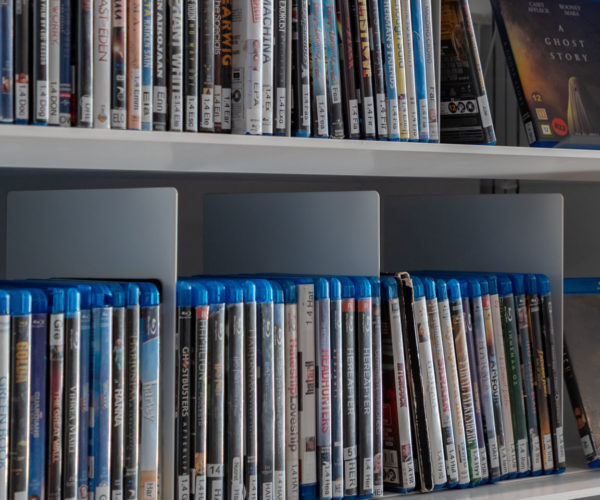
If you are building your collection from physical discs, you will also need a reliable way to get those movies off the plastic and onto your hard drive.
An external USB Blu-ray drive is an essential tool for this process. Even if you only plan to rip standard DVDs, buying a dedicated Blu-ray drive ensures you can read both high-definition discs and older standard-definition media. Look for a drive that can be easily flashed with LibreDrive compatible firmware if you plan to tackle 4K UHD discs later down the road.
Network Basics: Why Hardwiring Your Server Matters
Your network connection is the invisible highway that transports video from your server to your television. While Wi-Fi is convenient for your phone or tablet, your Plex server itself should always be hardwired using an Ethernet cable whenever possible.
Plugging your server directly into your home router prevents wireless interference, drops in signal strength, and bandwidth bottlenecks. This stable connection is especially critical when multiple people in your household are streaming high-definition video at the same time.
Putting Together Your Beginner Blueprint to Set Up a Plex Server
Putting together a beginner-friendly hardware stack is much simpler than it sounds. You just need a stable computer running continuously, plenty of mechanical hard drive space, an optical drive for your physical discs, and a solid wired network connection.
Once you have these core pieces assembled, you are ready for the fun part. In the next installment of our Plex series, we will dive into the software side of things and show you exactly how to rip your DVDs to start filling up those new hard drives.